Be My Guest
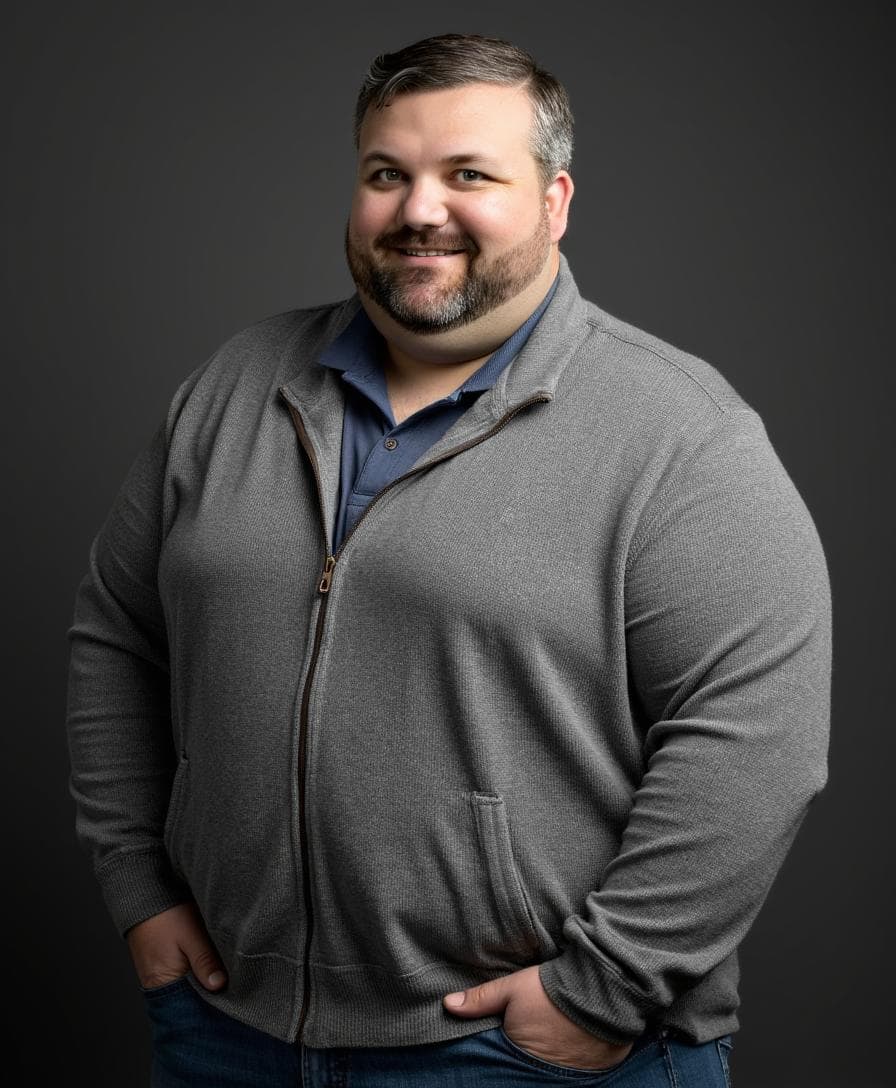
Thanks for joining me!
If you've found your way here, it means you've been invited to share your Talent Stack as my guest on the podcast. Thank you! Without my guests, there would be no stories to tell and no talents to stack.
Whether you've been on podcasts many times or this is your rookie debut, this page is designed to help you make sure you're ready to shine when the recording starts. Below you will find 3 key sections:
- Preparing to Podcast - A quick set of tips and tricks to help you podcast like a pro!
- Be My Guest - Prompts and FAQs that will help you come prepared to talk about your own Talent Stack
- Sharing Your Story - Tips and tools for sharing your appearance on social media
Bottom line, my goal is to make you shine like the star you are and help you spread your story far and wide. Feel free to refer back to this page at anytime. And if in doubt, just reach out.
Cheers!
Jeff
Preparing to Podcast
Podcasting isn't hard. In fact, it's really just a conversation. But making a podcast sound good- that does take a little work. As my guest, I want you you to focus on your story, not your set up. So I've done everything I can to make things as easy as possible. Below you'll find a quick check list of things you can do to make yourself look and sound great during our recording. For each topic, I've given you suggestions of "Good, Better, Best." So even if this is your one and only podcast appearance, you should already have everything to be "Good" or "Better" without doing much work or spending a dime. But if you really want to look and sound like a pro, my "Best" tips will tell you about the gear and set ups I personally use to get studio-quality results.
Location - For our recording, I will be capturing both video and audio. Though my podcast is distributed in audio-only, video makes for great promos and clips used on social media. So you'll want to set up to record somewhere relatively quiet with a simple, professional background.
- Good - Your desk, dining table, or even the couch is fine. Try to avoid having your device on your lap; a table or desk is best. Avoid rooms with loud fans or hums as they can interfere with the recording. And don't be somewhere you can be easily interrupted or have people walking through.
- Better - A quiet room with a closed door and a sign that says "do not disturb- no knocking!" Consider your background; art frames and bookshelves are great. Windows and harsh backlighting is bad (i.e., lamps or lights) are bad. Avoid moving things like fans as well. Virtual background or blur effects are okay, but will always have a shimmer unless set up properly.
- Best - Recording studio-like room. Something with sound dampening (even just blankets hung around the set up) to capture the cleanest sound. A background staged for video; simple, complementary colors, sparse objects, and good depth from camera. Real backgrounds always look better than virtual, but if using virtual, use a green screen and 3-point lighting to create the cleanest "key" possible.
Microphone - Audio makes the biggest impact on podcasting. But it's not just about spending money on a fancy microphone. It's about ensuring the right setup to capture your cleanest, best sound.
- Good - Headsets, Bluetooth earphones, etc. Your best sound is captured close. Don't rely on your device's microphones to pick up good sound- get something closer to your mouth. A gaming headset, the earpods or airpods that came with your phone. Even Airpods or other bluetooth earphones will do a better job of capturing your voice than your built-in mic.
- Better - USB microphones. There are a range of quality USB based microphones you can get at reasonable prices which will exponentially improve your recording. My top picks are The FiFine USB and the Audio-Technica ATR2500x. Both are usually under $100 and both are as easy as plug-and-play via USB.
- Best - XLR microphones. If you really want to go "all-in" on studio-quality sound, you'll need to step up to XLR connections. The best microphones can cost hundreds of dollars and require more accessories to connect and work properly. If you really want to go down that path, I rely on the Shure MV7+ along with the Shure MVX2U XLR to USB interface. I also recommend a boom arm to reduce accidental noise, like the Shure Gator Deluxe. It has built in cable management and great tension in the articulation points to make positioning easy.
Video - Although not the primary focus of my podcast, we all want to look our best, even if just in promo clips. Good video hinges on 3 things: good angle, good lighting, and good eyeline. Get those right and you're on your way to looking like the superstar you are!
- Good - Your built in device camera. The quality of video on a laptop or tablet (or even phone these days) is nearly broadcast ready. Just make sure to follow these steps. First, check your angle. You want your camera positioned at eye height or slightly above. Avoid the up-the-nose angle that happens when your camera is below you. You may need to put your device on a riser or in a stand to help. Second, make sure your lighting is behind the camera, not behind your head. You need more light behind the camera than behind you to look proper. Third, make sure you look into the lens when talking, not at your screen. The temptation is to look at our video, but that lowers your eyeline. When talking, look right into where the camera is for the best shot.
- Better - A dedicated webcam. There are lots of good options, but I've found the Logitech C920x to be the best value on the market. It's plug and play via USB. Can be mounted or angled in many ways. And has the best picture quality you'll need for any conference or webcall. Another better than average option if you are an Apple user, is to use your iPhone with your Mac. You can pair them wired or wirelessly- just check out this tutorial to get started.
- Best - Video camera. If you really want to get that studio look, you'll need to invest in a proper video camera. The Sony aX6400 has long been my choice. With mini-HDMI output and a flip-up preview screen, this thing is built for video. Easy mic inputs and lots of shoe options can take this to crazy levels of usefulness. Pair it with a wired battery replacement and you're never out of juice. You'll also need the CamLink 4k and few other accessories, but if you really want to get your vlogging or podcasting to a pro-level, this can do it. For lighting, I rely on the Elgato Key Light. It provides great illumination with excellent controls for brightness and temperature. Easy to use and doesn't put off heat that can leave you sweating.
Be My Guest
"Talent Stacked" is all about the unusual collection of skills that make you uniquely talented. Author Scott Adams first coined the idea years back, so if you want to get a good understanding right from the source, check his video here: Scott Adams Explains Talent Stacks
On my show, we examine your current success by going back "Rashomon-style" and looking at how each talent you acquired changed the path and added to your overall profile, creating what you are today. Let's use myself as an example.
Today, I host, produce, and publish this podcast. That talent is built on a stack of skills I acquired over the past 25 years. I've been a public speaker since I as age seven. I was a collegiate national champion in both impromptu speaking and debate. In college I studied political science. Those two skills got me a job hosting a local talk radio show, where I learned audio editing, mixing, and producing. My work as a trainer required I learn to make videos and graphics. And my role as my company's communications manager taught me social media and communications. All together, they make me a talented podcaster (at least I like to think so.)
To prepare for your episode, think about the many unique skills you've acquired that have made you successful. Did you acquire them just for this role? Or did your collection of skills lead you to this place? That journey will be the foundation of our conversation. Here's a few more prompts to get you going:
- What are some skills you acquired that have turned out more useful than you realized?
- What skills have you had to learn that you never thought you'd need?
- What skills do many of your peers lack that you have and you wonder why they've never bothered to learn them?
- What's a skill you never expected to use that you rely on now?
- What skill are you glad you have, even if you may not have enjoyed learning it? (I, for one, hated my piano lessons, but am glad I understand music theory).
- What skills do you now realize would be useful and you are planning to grow in?
Here a few more answers to some burning questions you may have before we record...
- Do I need to come ready to tell a story? No. As the host, it's my job to guide you. I'll ask questions, prompt you, and help you bring out your best self.
- I'm nervous about being recorded. Don't be! In fact, forget we're recording and just dive into chatting with me. The real magic of the podcast will come when I do the editing afterward. Our goal for recording is to get as much material as possible for me to work with.
- What if I stumble, mess up, have a brain-fart, or otherwise make a fool of myself? We all do. Again, editing makes all the difference. Since we won't be "live" I can fix almost anything in post. Need a couple of takes to say it right? No problem. Want to cut something out after because it's embarrassing? Can do. Need time to think about it? No problem. Saying "um" and "like" too much? Yeah, I can even fix that, so don't sweat it.
- Is my story interesting enough for people to listen to? How dare you question my judgement!! (Kidding ;) I've asked you on for a reason- because I'M interested in your story. And if I am, my audience will be, too.
Sharing Your Story
Once the edit is done and the podcast is published, it's time to share your story. Here are a few tips to make it go viral (or at least try!)
- TalentStacked is available on every major podcast platform. Apple, Spotify, Amazon, Google, and more. I'll provide you links to your specific episode once it's live. But for pre-marketing, just direct your audience to www.TalentStacked.fm or their podcast player of choice to subscribe.
- TalentStacked is present on every major social media platform. If you are promoting your episode, please tag the show and we'll help boost your post.
- X - @TalentStacked
- TikTok - @TalentStacked
- Insta - @TalentStacked
- YT - @TalentStacked
- The show uses the hashtag #TalentStacked across all social platforms.
- Once your episode is ready, you'll get a link to any promo video and audio clips you can use to share as well. If you would like a copy of the show art or logo, you can find them linked here: TalentStacked Show Art